Three insights from an August survey on fast access, monitoring tools and operating-system reliability
A professional camera monitor can offer an impressive range of tools, but on set, having more features is only part of the equation. What matters is how quickly you can reach the tool you need, how confidently you can read the image, and whether the monitor keeps up with the way you actually work.

Our August survey points to a clear pattern: filmmakers want less time spent navigating menus and switching between devices, and more time focused on the frame. Here are three takeaways from the survey – and what they mean for a real-world shooting workflow. Fast Access Should Take One Action.
One Action, Less Distraction
86.2% of respondents considered one-action access to frequently used functions essential.
The preferred method may differ, but the need is the same: when you decide you need a tool, you should not have to stop and work your way through a menu to get there.
That matters on a busy set. Whether you are checking focus between takes, watching exposure as lighting changes, or making a quick adjustment while the camera is rolling, every extra step takes attention away from the image.

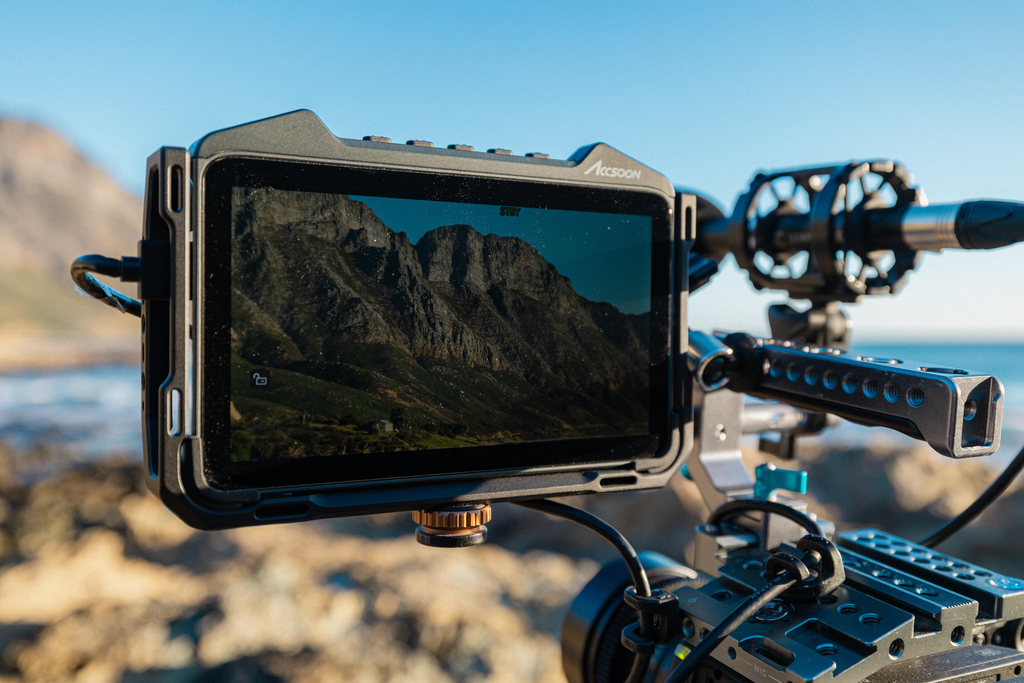
A practical monitor interface should therefore give operators more than one fast way to reach frequently used tools. Touch controls provide direct access, while physical shortcut buttons offer another advantage: once their layout becomes familiar, you can trigger a tool by feel without taking your eyes off the image. The CineView CineView M7 Series supports this workflow with quick tool access and three customizable physical buttons.
The Tools Users Reach for Most
Focus Peaking (54%), False Color (44.8%) and Camera Control (40.4%) were the three most-used monitoring tools.
The results line up with three recurring tasks in production: confirming focus, evaluating exposure, and adjusting the camera. These are not tools you use once and forget. Depending on the scene and shooting conditions, you may return to them repeatedly throughout the day. That makes accessibility just as important as having the function in the first place.
Camera Control also highlights how a monitor can become part of a broader camera workflow rather than simply a display. On the M7 Pro and M7H Pro, TX mode can combine video transmission with compatible camera control. Across the CineView M7 Series, supported cameras can be controlled for functions such as aperture, shutter speed or shutter angle, ISO/EI, white balance, recording trigger and touch focus.
For solo operators, DPs, ACs and small crews, keeping these controls within the monitoring interface can reduce the need to move back and forth between the camera and monitor. The result is a more continuous workflow: frame the shot, evaluate the image, make the adjustment, and keep shooting.

Quick Tip – ARRI False Color: The CineView M7 Series includes dedicated ARRI-style False Color options for LogC3, LogC4 ALEXA 35 and LogC4 ALEXA 265, with selectable EI settings for a more accurate exposure reference.
A Reliable OS Matters as Much as the Tools
Reliability was also a clear purchase consideration. When asked how stable, reliable operation would affect their next monitor purchase, 67.0% said it would be at least a deciding factor between products at a similar price.
Fast access only helps when the monitor responds consistently. On set, operators need tools to open when expected, settings to behave predictably, and the interface to remain dependable as they move between monitoring, camera control and other tasks.
This is why the operating system and firmware experience are part of a monitor’s long-term value. The M7 Series has continued to evolve through firmware updates, adding and refining features such as Peaking, ARRI False Color and Camera Control, while also improving interface behavior, connection stability and overall performance.
For working crews, reliability is not about having the most complicated system. It is about knowing that the tools you depend on will behave the same way when the pressure is on.
Less Friction, More Focus
The survey points to a straightforward expectation: the right tool should be available when you need it, without interrupting the way you work.
For filmmakers, a professional monitor is no longer judged only by brightness, resolution or screen size. It is also judged by how quickly you can reach essential tools, how confidently you can assess the image, and how naturally it fits into the camera workflow.
The goal is simple: spend less time searching through menus, switching between devices or second-guessing what you see – and more time focused on the shot.